Compliance overview
The Compliance section at /compliance is your central view for tracking whether every worker has the documents they need to work. Non-compliant workers cannot be offered shifts, so keeping this up to date is critical to filling your clients' needs.
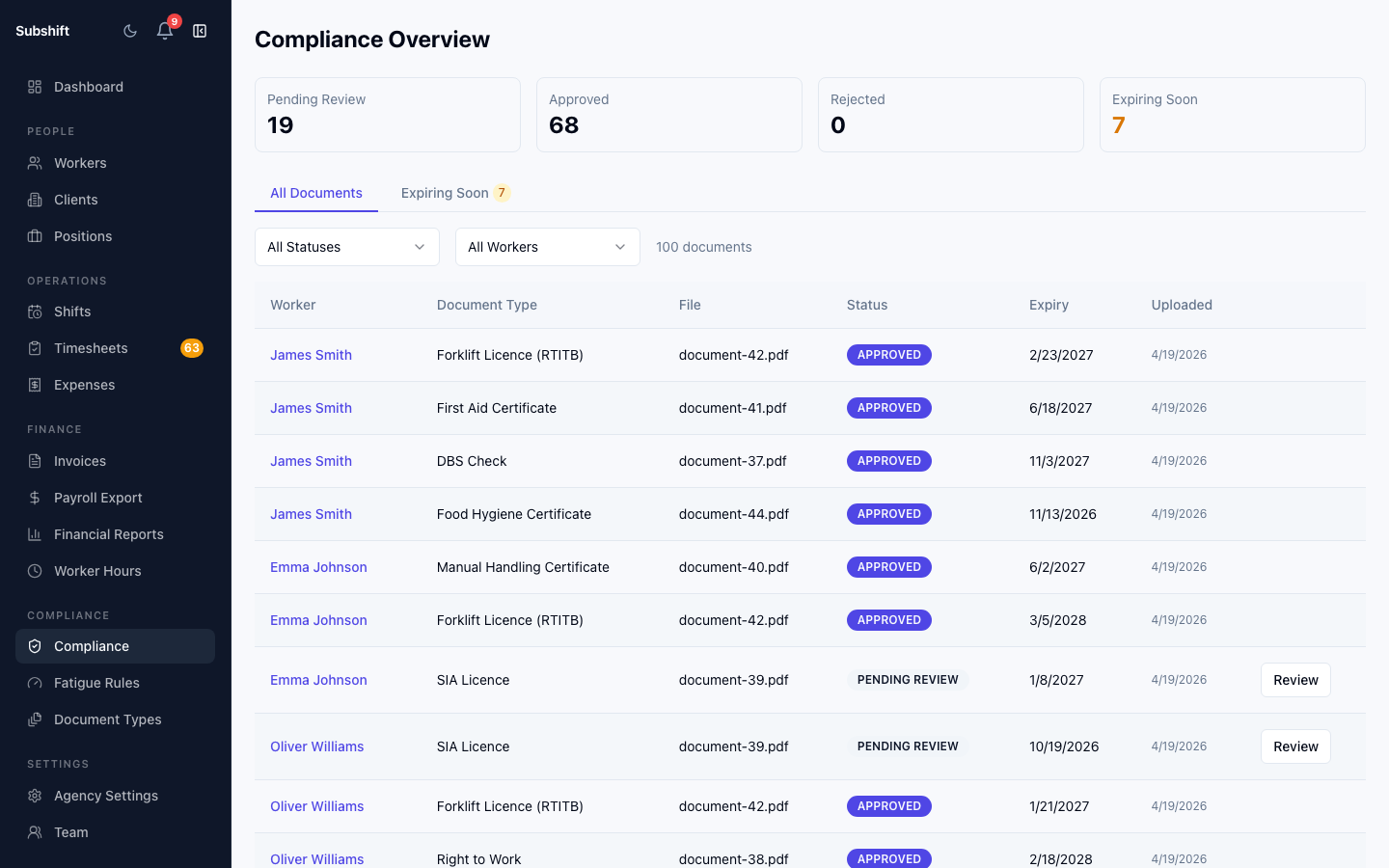
Status tiles
Three summary tiles sit at the top of the compliance page:
- Compliant — workers who have all required documents uploaded and unexpired.
- Expiring soon — workers with one or more documents expiring within the next 30 days. They are still eligible for shifts today, but action is required to keep them compliant.
- Non-compliant — workers missing a required document or with an expired document. They will not receive shift offers until their compliance is restored.
Warning
Workers requiring attention
Below the tiles is a list of workers who are non-compliant or expiring soon, sorted by urgency (soonest expiry or longest non-compliant period first). Click any row to open the worker's compliance detail.
Expiring-soon logic
A document is flagged as "expiring soon" when its expiry date is within 30 days of today. The thresholds are set per document type in Settings → Document types. If you want earlier warnings for critical documents (e.g. DBS checks), increase the warning threshold there.
Tip
Related
- Managing documents — upload, replace, and remove worker compliance documents
- Compliance reports — full compliance audit and export
- Document types — configure required document types and expiry thresholds