Uploading documents
You can upload compliance documents directly from your phone — either by taking a photo or picking a file from your camera roll or files app. This guide covers the full upload process.
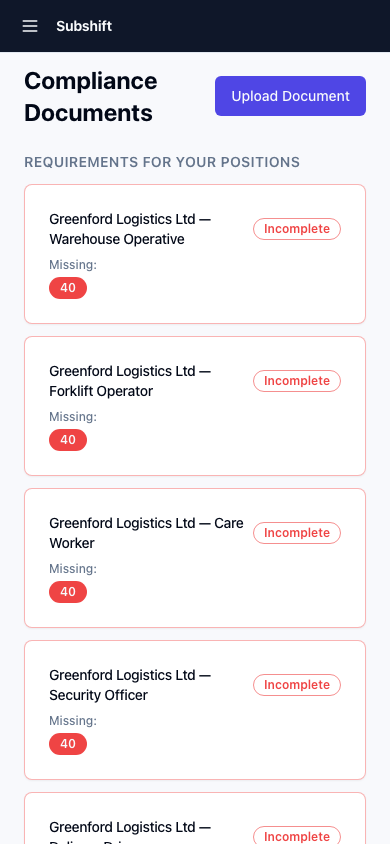
Step 1: Open the compliance screen
- Tap Profile in the bottom navigation.
- Tap Compliance.
- Find the document you need to upload or update — look for a red (missing/expired) or amber (expiring soon) badge.
Step 2: Start the upload
- Tap the document row to open it.
- Tap Upload document (or Replace if one already exists).
Step 3: Choose how to provide the document
Two options appear:
- Take a photo — use your camera to photograph the document. Lay the document flat in good light and make sure all edges and text are visible.
- Choose from files — pick an existing photo or PDF from your phone's storage.
Tip
For documents with fine print (e.g. driving licences, certificates), take the photo in a well-lit area and make sure the image is sharp before confirming. Blurry images may be rejected by your agency.
Step 4: Set the expiry date
- After selecting or capturing the image, you'll see an Expiry date field.
- If your document has an expiry date (e.g. a driving licence, DBS check), enter it. This is usually printed on the document itself.
- If the document doesn't expire, leave this field blank.
Step 5: Submit
- Tap Upload.
- The document is sent to your agency for review.
- Your compliance status updates once the agency approves the document.
Note
Your agency reviews each uploaded document before it affects your compliance status. This usually takes a few hours during working hours. If you're urgent (e.g. a shift is coming up), let your agency know directly.
Replacing an expired document
When a document is renewed, tap Replace on the existing document entry and follow the same steps. Your old document is kept in the history — only the new one is active for compliance purposes.
Related
- Compliance overview — understand your compliance status
- Getting started — upload documents during initial setup
- Positions — each position may require different documents