Dashboard
The dashboard is the first screen you see when you open the app. It shows your most important information at a glance — your next shift, any actions you need to take, and recent activity.
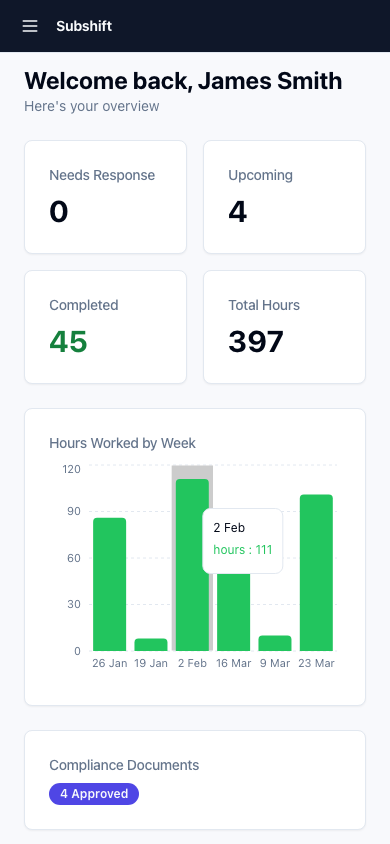
Next shift
The top card shows your next upcoming shift. It includes:
- The site name and position
- The date, start time, and duration
- Any notes from your agency or the client site
Tap the card to see full shift details.
Tip
Check the notes section of your next shift the evening before — it often contains useful information like where to park, who to report to, or dress code requirements.
Recent activity
Below the next shift card, you'll see a feed of recent activity: shifts you've accepted or declined, timesheets you've submitted, and any messages from your agency.
Quick actions
Common actions are surfaced as buttons on the dashboard when they're relevant — for example, a prompt to submit a timesheet after a shift is completed, or a compliance reminder when a document is about to expire.
Note
If you don't see any upcoming shifts on your dashboard, it means your agency hasn't offered you any yet. Make sure your availability is set correctly and your compliance is up to date.
Related
- Accepting a shift — how to respond to a shift offer
- Availability — set the times you're available to work
- Compliance overview — keep your documents current to stay eligible