Positions
Positions are the roles or skills your agency places workers in — for example, "HGV1 Driver", "Healthcare Assistant", or "Security Officer". They are the link between what your clients need and what your workers can do.
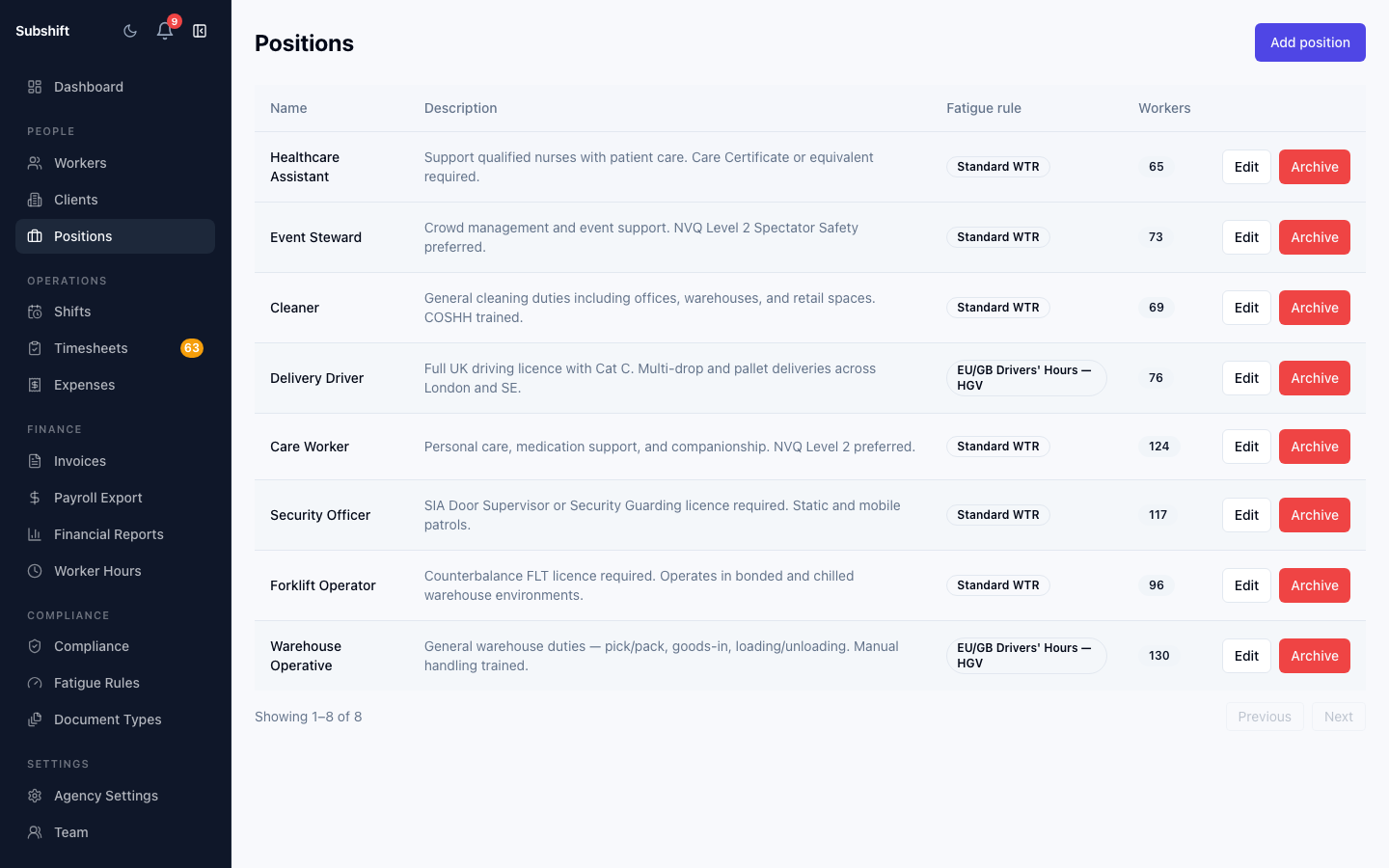
How positions work
Every shift requires exactly one position. For a shift to be created, that position must be on the client's allowed list. For a worker to be matched to that shift, they must have that position in their qualifications.
The matching logic is:
- Client has position X on their allowed list ✓
- Shift is created for position X ✓
- Worker has position X as a qualification ✓ → worker is eligible
Creating a position
- Go to Positions in the sidebar.
- Click Add position.
- Enter the position name. Keep it clear and specific — workers see this name on shift offers.
- Optionally add a description for internal use.
- Click Save.
Tip
Editing a position
Click any position in the list and select Edit. Updating the name affects all existing shifts and worker qualifications that use it — they will show the new name immediately.
Archiving a position
Positions cannot be deleted if they are in use by existing shifts or worker qualifications. Instead, archive the position to hide it from dropdowns and matching without losing historical data. Archived positions can be restored at any time.
Note
Related
- Client detail — adding positions to a client's allowed list
- Adding a worker — assigning position qualifications
- Creating a shift — position validation at shift creation