Finding shifts
The Shifts section shows all your upcoming shifts and any open offers you've been sent. Use it to see what's coming up, track which shifts you've accepted, and review completed shift history.
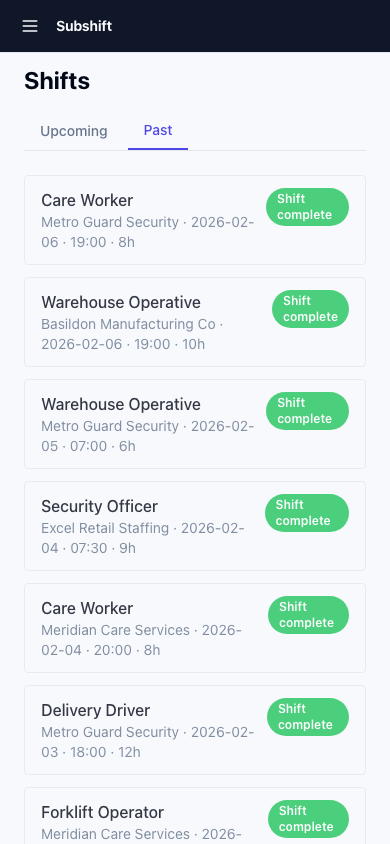
Opening the shifts list
Tap Shifts in the bottom navigation bar.
Tabs
- Upcoming — shifts you've accepted that are scheduled in the future.
- Available — shift offers from your agency that you haven't responded to yet.
- Past — completed and cancelled shifts.
Tip
Check the Available tab regularly if you're looking for more work. Shift offers have a time limit — if you don't respond within about 15 minutes, the offer moves to the next eligible worker.
Filtering
Use the filter bar to narrow by:
- Position — if you're qualified in multiple roles, filter to a specific one.
- Date — look ahead to a specific week or date range.
Tip
To see your shifts alongside your mandatory rest windows and unavailability periods in a visual timeline, use the My Schedule page. Tap Schedule in the bottom navigation bar.
Related
- My Schedule — visual timeline of shifts, rest windows, and unavailability
- Accepting a shift — respond to a shift offer
- Working a shift — what to do on the day and how to submit a timesheet
- Availability — set when you're free to receive offers